 Citadel
Access control
Manage Citadel users, Teams, Roles, Service Accounts, permissions, and resource overrides.
Citadel combines role-based access control (RBAC) with resource-level access control lists (ACLs) to support the principle of least privilege: grant Users and Service Accounts only the permissions they need.
- Users are people who sign in to Citadel.
- Teams group Users and Service Accounts so they can inherit the same access.
- Roles define reusable permission sets.
- Resource access grants additional access to a specific resource.
Permissions are additive. Prefer a purpose-specific Role and narrowly scoped resource access instead of assigning the built-in Admin Role.
Configure a Role
Open Access → Roles and select a Role to inspect its Permissions Matrix. Choose a permission Level for each resource type and review its optional Capabilities separately. Assign the Role to the Users or Teams that need it.
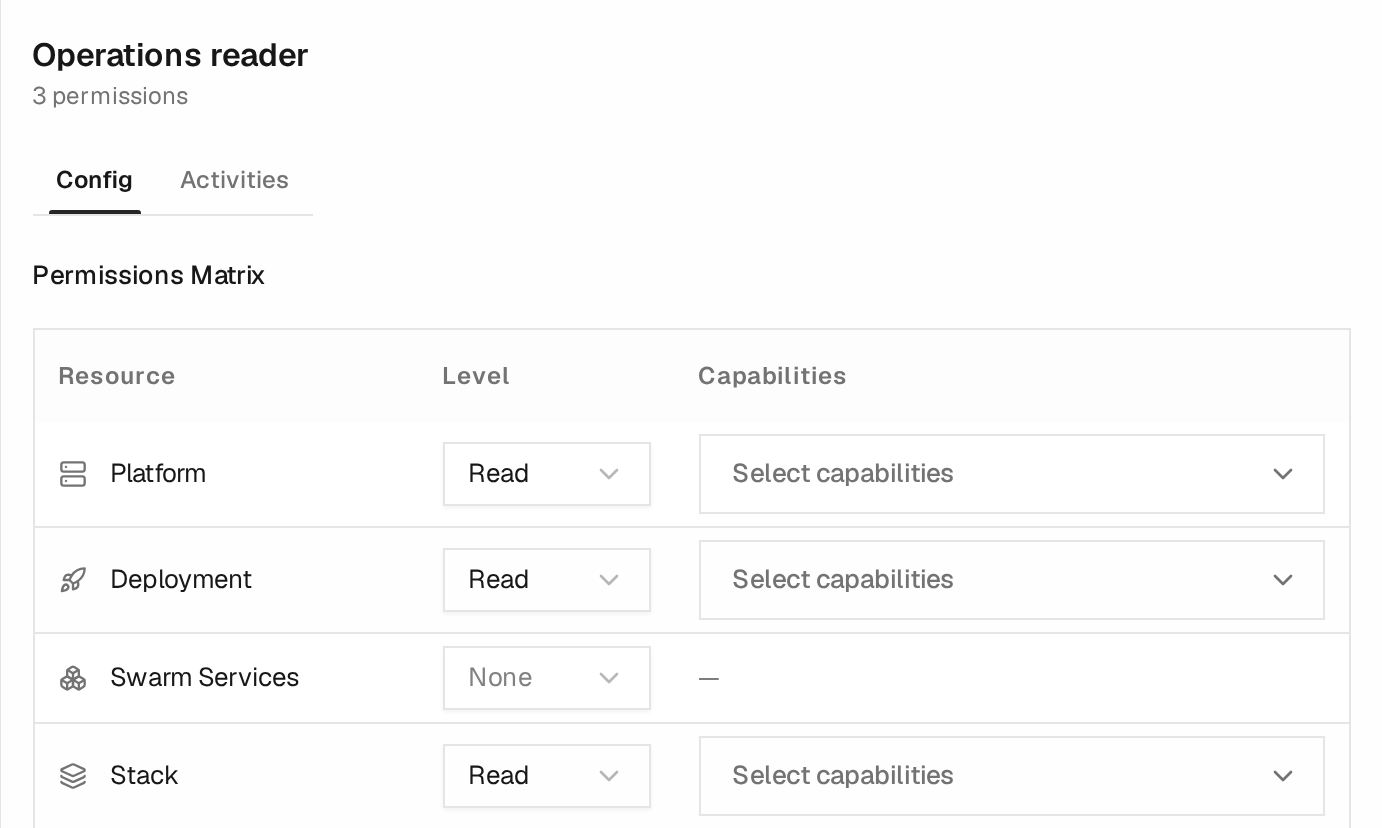
This excerpt uses a demo Role with Read access to Platforms, Deployments, and Stacks. No additional capabilities are selected. None means this Role grants no access to that resource type; another Role or resource access grant may still provide access because permissions are additive.
Custom Roles require Team's Custom access control capability. Built-in System Roles can be inspected but cannot be edited.
Grant Access to One Resource
Open a User's Config tab and choose Advanced → Overrides → Grant Access. Select the resource type, then set the level and any additional capabilities for only the resources that User needs. Save the dialog, then save the User form.
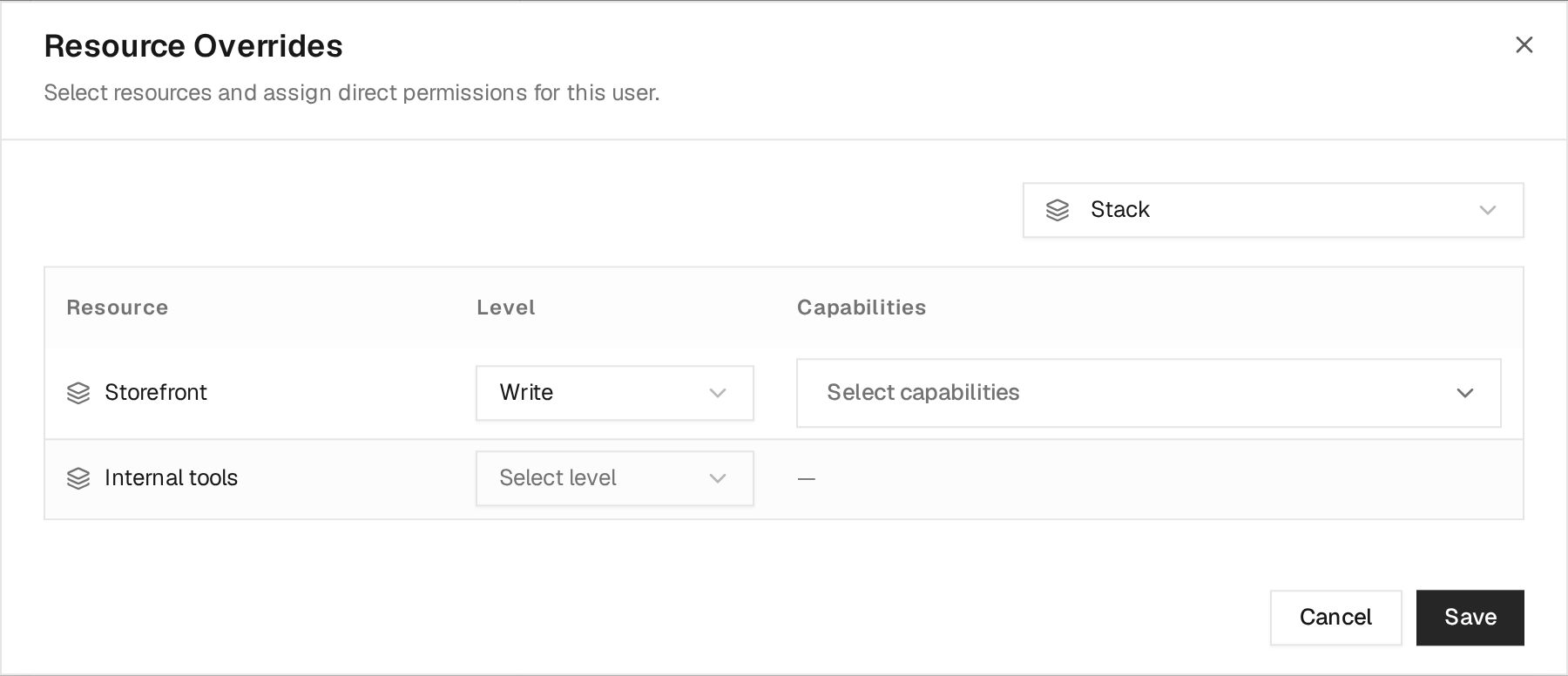
In this demo, a User with the Operations reader Role receives additional
Write access to the Storefront Stack. The Internal tools Stack receives
no direct grant. Its existing Role-based access still applies: an empty override
does not revoke permissions inherited from Roles or Teams.
Creating or expanding resource-specific grants requires Team's Custom access control capability. Existing grants can still be reduced or removed without it.
Review Access Changes
The Activities tab on a User, Team, or Role records the administrative changes that affect that resource:
- creation;
- configuration or access-assignment changes;
- rename;
- deletion.
The main Activities page can be filtered by User, Team, or Role. These identity activity records are visible only to administrators.
Activity records contain the affected enabled state, assignment identifiers, and permission levels needed for an audit. Citadel does not record passwords, password hashes, MFA secrets, API tokens, or other credential values in these events.